Key Combinations
Cmd/Ctrl + Click Lets you easily assign custom names to your selected layers
How to use
-
1
Select the layers you want to rename first
-
2
Press the Rename Layers button
-
3
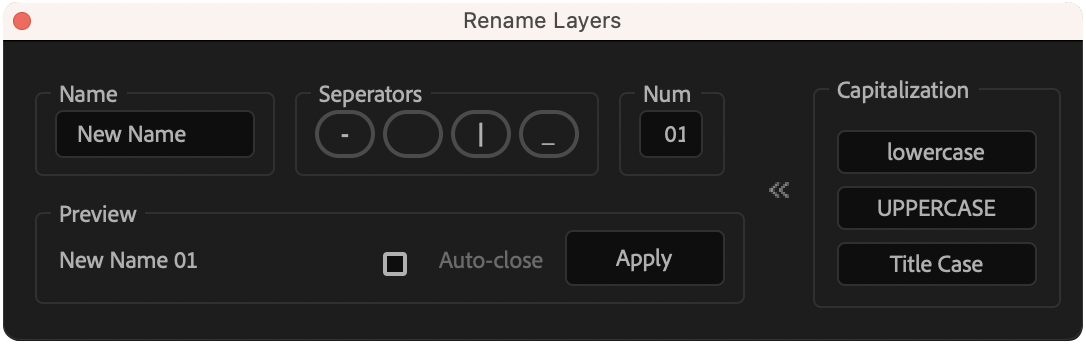
A window will appear with options
-
4
First, choose a name for the layers
-
5
Choose a separator option (default is space)
-
6
You can also choose a starting number and set a different padding style for the number
-
7
Hit the apply button
Note
There is a hidden section where you can adjust the capitalization of the selected layers. You have the options to change the titles to lowercase, uppercase, or title case. Press >> button to reveal this section.