
Write, apply, and manage expressions with a dedicated editor and a personal library
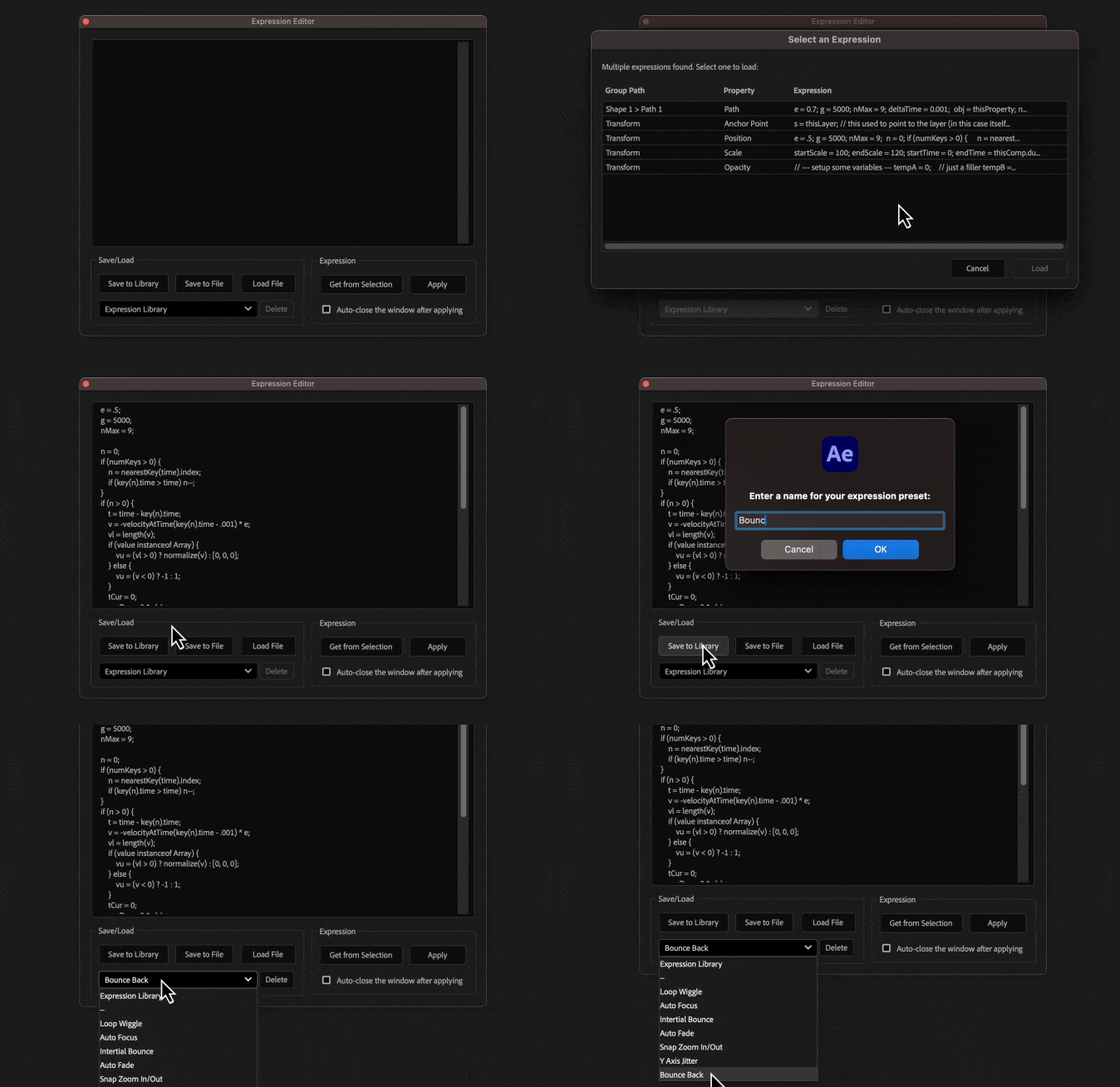
Getting an Expression
- From a single property: Select the property and click "Get from Selection" to load its expression directly into the editor
- From selected layers: If you select layers without specifying any properties, clicking "Get from Selection" will scan them for all expressions, a new window will then appear, allowing you to choose which expression to load
Applying an Expression
- Select one or more layer properties
- Write, paste, or load your expression into the text field
- Click "Apply"
Save/Load
- Save to Library: Saves the current expression in the editor to your personal library for easy reuse
- Save to File: Exports the current expression as a text file (.txt)
- Load File: Imports an expression from a text file (.txt)
- Expression Library: A dropdown menu to access all your saved expressions, select an expression to load it into the editor
- Delete: Removes the currently selected expression from the library
